
Stop Paying Premium Hosting: A Frontend Developer's Guide to Docker & AWS in 2026
Author
Muhammad Awais
Published
May 11, 2026
Reading Time
6 min read
Views
266
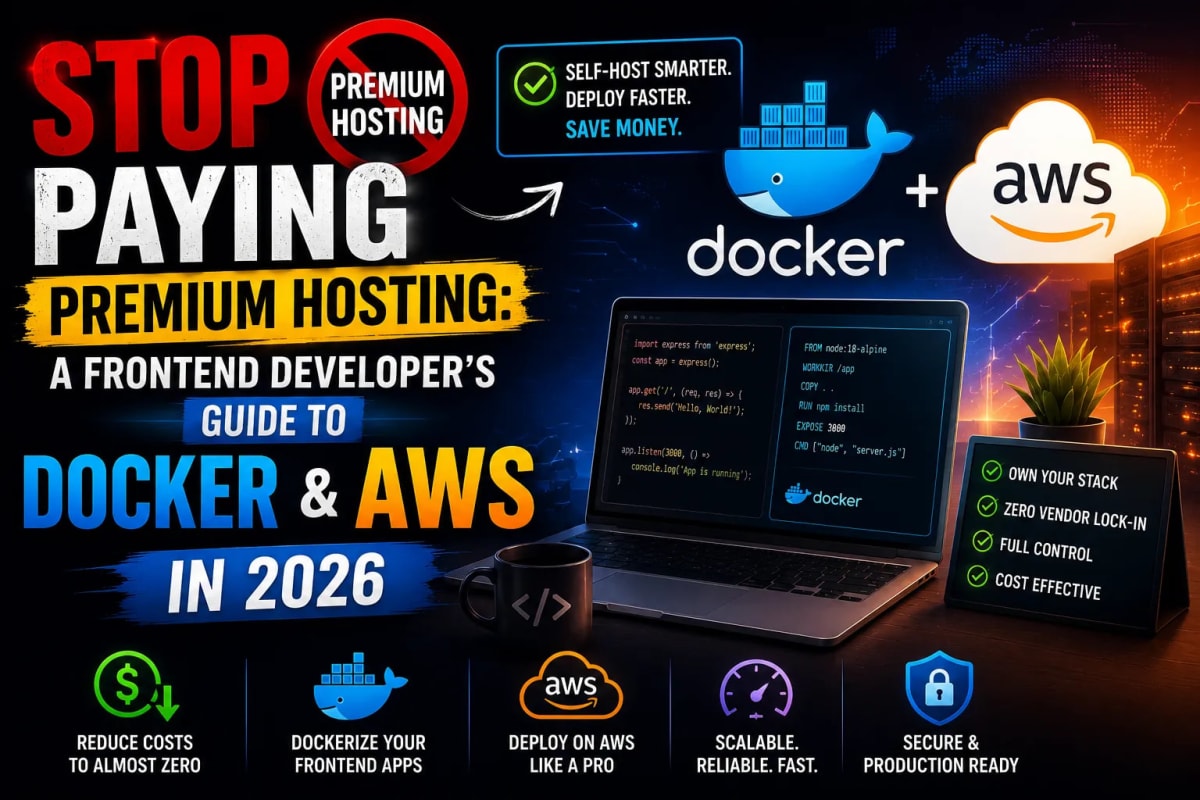
Let's have a candid conversation about the current state of frontend hosting in 2026. As a full-stack developer working heavily with Next.js and TypeScript, I know the allure of "zero-configuration" serverless platforms. You push your code to GitHub, and magically, your application is live globally within minutes. But this magic comes with a steep, hidden cost. Once your traffic scales, you find yourself trapped in premium hosting tiers, paying exorbitant bandwidth and serverless execution fees. It is time to stop paying the premium "convenience tax" and take control of your infrastructure. Let's explore how frontend developers can slash their hosting costs by leveraging Docker and AWS Elastic Container Registry (ECR).
The Serverless Lock-In Trap
The Next.js ecosystem is brilliant, but it is heavily optimized to keep you within specific hosting ecosystems. When you rely solely on managed serverless providers, you are paying a massive premium for automated pipelines. Initially, the free tiers are generous. However, the moment your web application gains real traction, the pricing scales aggressively.
One of the biggest hidden costs is image optimization. Next.js does dynamic image optimization at runtime, which consumes serverless function execution time and bandwidth. A smart developer bypasses this entirely by optimizing assets before they even touch the server. By running your heavy graphics through a client-side Image to WebP Converter, you drastically reduce your repository size and entirely eliminate the need for costly runtime image optimization on your hosting provider. Optimization should happen locally, not on a meter.
Why Frontend Developers Fear DevOps
Traditionally, the divide between frontend development and operations (DevOps) was massive. Configuring Linux servers, managing Nginx reverse proxies, and handling SSL certificates used to be a nightmare for someone whose primary focus is building React interfaces and API routes. Because of this fear, many developers willingly pay $100+ a month for managed hosting just to avoid the terminal.
But the landscape has fundamentally shifted. You don't need to be a Linux system administrator to deploy highly scalable web applications anymore. You just need to understand containerization. Taking the leap to configure my first Docker environment and successfully pushing a containerized application directly to AWS ECR was a defining moment. It demystified cloud infrastructure and proved that modern DevOps is highly accessible for full-stack developers.
The Docker Solution for Next.js
Docker completely eliminates the infamous "it works on my machine" problem. By wrapping your Next.js application, its dependencies, and the Node.js runtime into a single, immutable container, you guarantee that it will run exactly the same way locally as it does on a massive AWS cluster.
For a Next.js application, the secret is utilizing a Multi-Stage Docker Build. A multi-stage Dockerfile compiles your TypeScript, builds the Next.js production assets, and then copies only the necessary standalone output to a fresh, lightweight Alpine Linux image. This process drops your container size from gigabytes to mere megabytes.
Pro-Tip for Configuration
When dealing with complex environment variables or AWS IAM policy configurations, managing huge JSON files can get messy. Always validate your structures and generate proper types for your configuration files using a JSON to TypeScript Converter. Strong typing prevents deployment failures before they happen.
Pushing to Amazon ECR (Elastic Container Registry)
Once your Next.js application is cleanly containerized, the next step is storing that container somewhere accessible for deployment. This is where AWS ECR comes into play. ECR is a fully managed container registry that is secure, scalable, and highly cost-effective compared to specialized frontend hosts.
The workflow is surprisingly straightforward once you grasp the basics. First, you authenticate your local Docker CLI with your AWS account. Next, you tag your local Docker image to match your ECR repository URI. Finally, you execute the docker push command.
Seeing those terminal logs confirm a successful push to Amazon ECR is incredibly satisfying. From there, you have infinite flexibility. You can deploy that container to AWS App Runner for a fully managed experience, to AWS ECS (Elastic Container Service) for granular control, or even a cheap DigitalOcean Droplet. The core benefit is that you own your deployment pipeline. If AWS gets too expensive, you simply pull your container elsewhere. You are no longer locked in.
Next.js Gotchas in Containerized Environments
Moving from a managed serverless platform to a custom Docker container does come with a few architectural hurdles. Next.js behaves slightly differently when it is running in a continuous Node.js server environment inside a container compared to isolated serverless functions.
One of the most common issues you will face during this transition is client-server rendering discrepancies. Because your environment variables and build contexts are changing, you might notice UI flashes or errors in the console. If you encounter these, do not panic. Head over to our comprehensive technical guide on How to Fix React Hydration Errors in Next.js to resolve these rendering mismatches securely.
Frequently Asked Questions
Isn't AWS too complicated for a simple portfolio or blog?
If you are manually provisioning EC2 instances and setting up load balancers, yes, it can be overly complex. However, pushing a Docker container to AWS ECR and plugging it into a service like AWS App Runner provides the exact same "git-push-deploy" experience as premium serverless hosts, but at a fraction of the bandwidth cost.
Does Docker affect Next.js performance?
Docker itself has nearly zero performance overhead. In fact, running a Next.js application in a standalone Docker container can sometimes yield faster initial response times than cold-starting a serverless function, especially for heavy API routes or Server-Side Rendered (SSR) pages.
What is the learning curve for Docker?
For a Full Stack developer already familiar with Node.js and terminal commands, the core concepts of Docker can be learned in a weekend. Writing a basic Dockerfile is essentially just writing a list of terminal commands that set up your application.
Conclusion: Own Your Infrastructure
The transition from a pure frontend developer to a true Full Stack engineer happens the moment you take responsibility for your infrastructure. Premium managed hosting is fantastic for prototyping and small projects, but scaling demands a deeper understanding of containerization. By configuring your own Docker environments and pushing to enterprise-grade registries like AWS ECR, you drastically reduce your hosting bills, eliminate vendor lock-in, and significantly increase your market value as a software engineer. Stop paying the convenience tax, start containerizing your Next.js applications, and take full ownership of your deployment pipeline today.
Tagged in
Continue Reading
All Articles


Level Up Your Workflow
Free tools mentioned in this article
JWT Decoder & Verifier
Decode, parse, and verify JWT (JSON Web Tokens) securely in your browser. Validate claims and debug authentication payloads instantly with zero server logs.
Image Resizer & Compressor
Compress image to 20KB, 50KB, or 100KB online free instantly reduce image size in KB for government forms, exams (UPSC, SSC, FPSC, NTS), passport photos, and more. Works entirely in your browser.
PX to REM Converter
Convert px to rem and rem to px instantly - bidirectional, custom base font size, bulk converter, and CSS snippet output. Free, no signup.
Fancy Font & Stylish Text Generator
Transform your text into 50+ stylish and aesthetic fonts instantly. Perfect for Instagram bios, TikTok captions, and PUBG nicknames. One-click copy & paste.