
The Developer's Cheat Code: Programmatic SEO in Next.js
Author
Muhammad Awais
Published
May 11, 2026
Reading Time
6 min read
Views
332

Let's face a brutal truth about software engineering in 2026: Writing brilliant code is only 10% of the battle. Distribution is the other 90%. You can build the most elegant, heavily optimized Next.js application in the world, but if nobody can find it on Google, your product is practically invisible. Most developers hate marketing, but what if I told you that you could code your way to millions of organic visitors? Welcome to the ultimate developer cheat code: Programmatic SEO (pSEO). Today, we are going to explore how you can leverage Next.js dynamic routing to automatically generate thousands of high-ranking, valuable landing pages without writing them one by one.
What is Programmatic SEO?
Programmatic SEO is the methodology of using code and large datasets to create hundreds or thousands of landing pages at scale. Think about Zapier. If you search for "Connect Slack to Google Sheets," Zapier has a dedicated page for that exact query. They didn't write that page manually. They have a database of 5,000 apps, and they wrote a script that automatically generates a page for every possible combination (App A to App B). That is over 25 million pages generated from a single template!
Other massive examples include Canva ("Instagram Post Templates", "YouTube Thumbnail Templates") and TripAdvisor ("Best Hotels in [City]"). As an indie hacker or Full Stack Developer, you can use this exact same enterprise strategy on a smaller scale to dominate niche, long-tail keywords in your industry.
The Next.js Advantage: generateStaticParams
Next.js is objectively the best framework in the world for Programmatic SEO. In the past, generating thousands of pages meant querying a database on every user request, which crushed your server and ruined your Core Web Vitals. With the Next.js App Router, we use a magical function called generateStaticParams (the modern successor to getStaticPaths).
At build time, Next.js takes your dataset, loops through it, and generates pure, pre-rendered HTML for every single page. When a user or a Google Bot requests that page, it loads instantly from the global CDN. Zero database queries on the client side, zero latency, and perfect 100/100 Lighthouse scores.
// Example: app/tools/convert/[from]-to-[to]/page.tsx
import { db } from '@/lib/db';

// 1. Tell Next.js all the possible URL combinations at build time
export async function generateStaticParams() {
  const formats = ['json', 'csv', 'xml', 'yaml', 'typescript'];
  const params = [];

  // Create combinations like /convert/json-to-csv
  for (const from of formats) {
    for (const to of formats) {
      if (from !== to) params.push({ from, to });
    }
  }
  return params;
}

// 2. The Page Template
export default function ConverterPage({ params }: { params: { from: string, to: string } }) {
  return (
    <div>
      <h1>Free {params.from.toUpperCase()} to {params.to.toUpperCase()} Converter</h1>
      <p>Convert your {params.from} data securely to {params.to} locally in your browser.</p>
      {/* Dynamic Converter Component Goes Here */}
    </div>
  );
}
Sourcing Your Data (The Fuel for pSEO)
The code is easy. The hard part is finding the data. If you generate 1,000 pages that just say "Hello World" with a different title, Google will flag your site for "Thin Content" and de-index you. Every generated page must provide unique, tangible value to the user.
Where do you find data? Public APIs, government databases, Wikipedia scraping, or your own proprietary data. If you are building a tool site, your "data" is the functionality itself. When handling massive JSON datasets to feed into your Next.js build step, ensure your data is clean. Always run your raw API data through a robust JSON Formatter & Validator to prevent your Vercel build from crashing due to unexpected null values.
Case Study: The WebToolsHub Ecosystem
Architecting a Utility Network
At WebToolsHub, we practice what we preach. When we launched our typography tools, we didn't just make one "Font Changer" page. We created a programmatic template that generated specific pages for specific user intents: Fancy Fonts for Instagram, "Cursive Fonts for TikTok", "Gothic Fonts for Twitter". The core logic is the same, but the metadata, titles, and specific use-case descriptions dynamically change to match exactly what the user typed into Google. This is how you build an unstoppable organic traffic flywheel.
Similarly, if you are building visual tools, don't just build a "Theme Builder". Programmatically generate pages like "Tailwind Theme for SaaS", "Tailwind Theme for E-commerce", etc. (Speaking of themes, check out our highly optimized Shadcn UI Visual Theme Generator to see a perfectly executed flat-design tool).
The Danger Zone: Keyword Cannibalization
With great power comes great responsibility. The biggest mistake junior developers make with Programmatic SEO is creating pages that are too similar. If you generate a page for "Best JSON Formatter in New York" and "Best JSON Formatter in Brooklyn", Google doesn't know which one to rank. They compete against each other, and both pages lose. This is called Keyword Cannibalization.
Always ensure that your dynamic variables (the [slug]) fundamentally change the intent of the page. If the intent is identical, combine them into one authoritative, long-form guide.
Frequently Asked Questions (FAQs)
Will Google penalize me for AI-generated or programmatic content?
Google does not penalize content simply because it is programmatic or AI-assisted. Google penalizes "unhelpful, spammy content." If your 1,000 generated pages solve a real problem (like giving the user a working calculator or a specific data conversion), Google will happily rank all of them. Focus on utility, not just word count.
How do I get Google to crawl 10,000 pages quickly?
If you launch 10,000 pages tomorrow, Googlebot won't find them all immediately. You must utilize a dynamic sitemap.xml in Next.js that automatically updates when new routes are added. Additionally, ensure your website has strong internal linking (a spider-web structure) so the crawler can jump from page to page easily.
Does generating thousands of pages slow down the Next.js build time?
Yes. If you have 50,000 pages, running next build on Vercel could timeout. The solution is On-Demand Incremental Static Regeneration (ISR). Only generate your top 100 most important pages at build time. For the remaining 49,900 pages, let Next.js generate them the very first time a user visits them, and then cache them permanently.
Conclusion: Code Your Marketing
As developers, we have a massive unfair advantage over traditional marketers. We don't have to hire 50 freelance writers to create 5,000 blog posts. We can write a single, elegant Next.js template, plug it into a clean dataset, and let the server generate a massive digital footprint while we sleep. Stop praying for traffic. Start utilizing Programmatic SEO, scale your organic reach, and let your code do the marketing for you.
Tagged in
Continue Reading
All Articles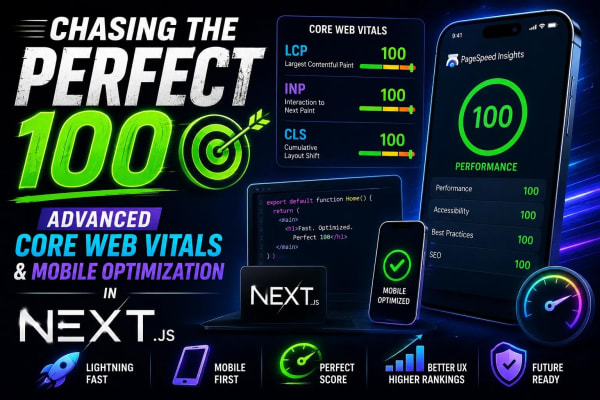


Level Up Your Workflow
Free tools mentioned in this article
Image to WebP Converter
Convert up to 25 JPG, PNG, TIFF and BMP images to WebP with live before/after preview, smart resizing, and real-time savings metrics 100% client-side, nothing uploaded.
AI Prompt Generator
Use our free AI prompt generator to improve AI prompts. The ultimate ChatGPT prompt optimizer and Midjourney prompt maker. Top free AI prompt builder tool.
JWT Decoder & Verifier
Decode, parse, and verify JWT (JSON Web Tokens) securely in your browser. Validate claims and debug authentication payloads instantly with zero server logs.
Bcrypt Generator & Verifier
Generate and verify Bcrypt password hashes instantly in your browser. A secure, client-side Bcrypt hash calculator for developers with zero backend logs.