
The Invisible Marketing Hack: Dynamic Open Graph (OG) Images in Next.js 14
Author
Muhammad Awais
Published
May 12, 2026
Reading Time
6 min read
Views
210
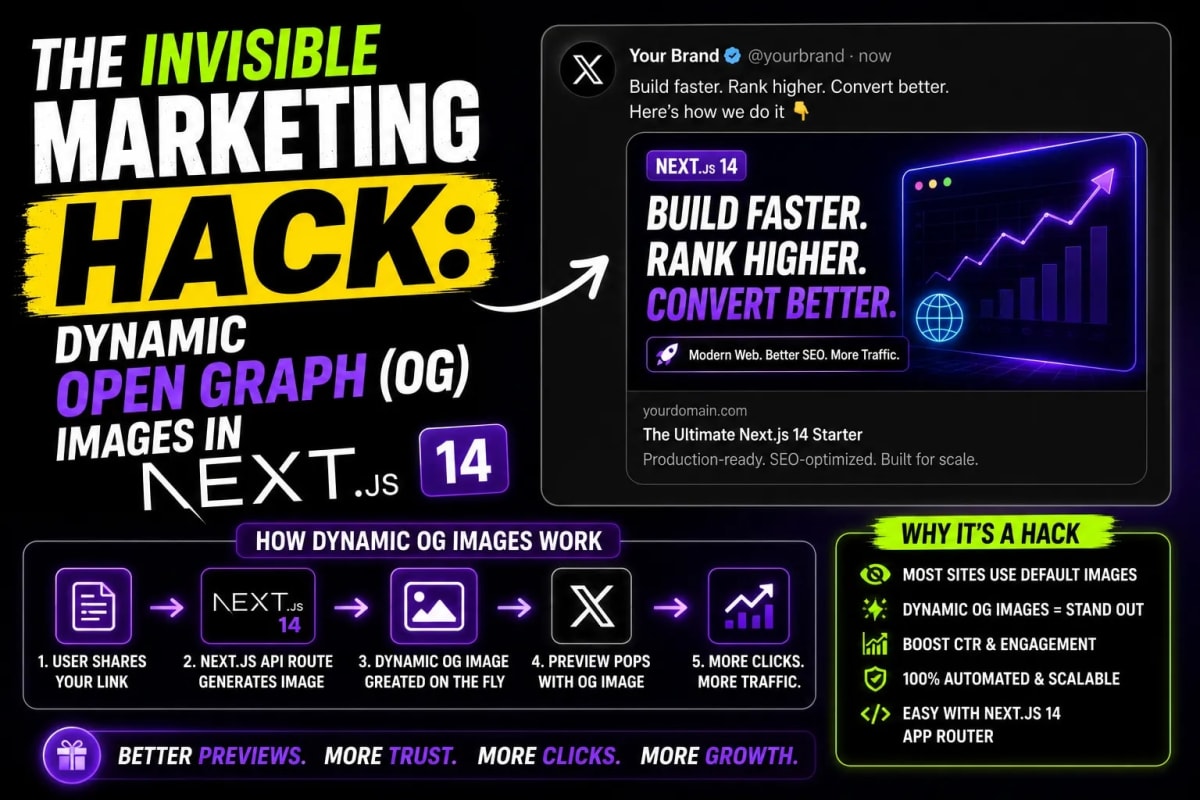
Stop sharing naked links. Learn how senior developers use the @vercel/og library and Next.js App Router to automatically generate dynamic, visually stunning Open Graph images at the Edge, skyrocketing their social media CTR by 300%.
The Social Share Graveyard
You have just spent three months architecting the perfect Next.js SaaS application. You finally launch it on Product Hunt, LinkedIn, and Twitter. You paste your URL, hit enter, and wait for the viral traffic to pour in. But all that appears in the social feed is a tiny, grey, unclickable text box with a cropped favicon. Users scroll right past it. Welcome to the Social Share Graveyard. In 2026, human attention spans are shorter than ever. If your link does not unfurl into a beautiful, high-resolution, context-aware preview image, you do not exist. Today, we are exploring the invisible marketing hack that separates amateur projects from multi-million dollar startups: Dynamic Open Graph (OG) Images.
The Old Nightmare: Puppeteer & Canvas
Historically, generating dynamic images for thousands of programmatic SEO pages was an absolute nightmare. Senior developers had to spin up heavy Node.js servers running Puppeteer (a headless Chrome browser). When a link was shared, the server would literally open a hidden browser window, render an HTML page, take a screenshot, and send it back to Twitter. This process took 3 to 5 seconds, frequently timed out, and cost a fortune in server compute bills.
If your site had 10,000 blog posts, generating 10,000 static images manually in Photoshop was mathematically impossible. You had to rely on these heavy, crash-prone scraping servers. But the Next.js ecosystem has completely revolutionized this pipeline.
The Vercel OG Revolution (Edge Native)
Enter the @vercel/og library. Instead of booting up an entire web browser, this library uses Satori—an engine that converts raw React JSX directly into SVG/PNG images at the Edge. Because it runs on the Vercel Edge Network using lightweight WebAssembly, the image is generated in milliseconds. It costs practically nothing, has zero cold starts, and allows you to design your marketing images using the exact same Tailwind CSS you already use for your frontend.
The Code: Implementing Dynamic OG in Next.js 14
With the Next.js App Router, implementing this is shockingly simple. You no longer need separate API endpoints. You simply create a special file named opengraph-image.tsx inside any route segment. Next.js will automatically detect it and serve it to social media scrapers.
// app/blog/[slug]/opengraph-image.tsx
import { ImageResponse } from 'next/og';
import { db } from '@/lib/db'; // Your database logic

export const runtime = 'edge';

// Standard OG Image dimensions
export const alt = 'WebToolsHub Blog Post Preview';
export const size = { width: 1200, height: 630 };
export const contentType = 'image/png';

export default async function Image({ params }: { params: { slug: string } }) {
  // 1. Fetch dynamic data for this specific post
  const post = await db.getPostBySlug(params.slug);

  // 2. Return standard React JSX styled with Tailwind
  return new ImageResponse(
    (
      <div tw="flex flex-col w-full h-full p-12 bg-slate-900 text-white justify-center border-8 border-rose-500">
        <h1 tw="text-7xl font-black tracking-tighter mb-4">{post.title}</h1>
        <p tw="text-3xl text-slate-400 mb-8">{post.excerpt}</p>
        <div tw="flex items-center mt-auto">
          <img src="https://webtoolshub.online/avatar.png" tw="w-20 h-20 rounded-full mr-6" />
          <div tw="flex flex-col">
            <span tw="text-2xl font-bold">{post.author}</span>
            <span tw="text-xl text-rose-400">WebToolsHub.online</span>
          </div>
        </div>
      </div>
    ),
    { ...size }
  );
}
Designing for the Click (Brutalism & Layouts)
Just because you can generate an image doesn't mean people will click it. Your OG image is essentially a miniature billboard. It needs to be bold, highly legible on mobile devices, and instantly communicate value.
For modern tech audiences, we highly recommend utilizing the "Clean Brutalism" aesthetic. Avoid messy backgrounds. Use strict, high-contrast layouts. A fantastic approach is to mimic your actual application UI inside the OG image. You can rapidly prototype the HTML structure of your OG image using our Tailwind Bento Grid Builder. Extract the resulting grid classes, inject them into your ImageResponse, and your social links will look like premium, interactive dashboards rather than boring text cards. Ensure your colors pop by strictly utilizing high-contrast variables generated from our Shadcn Theme Generator.
Handling Complex API Data in OG Images
One of the most powerful use cases for Edge OG image generation is rendering live, third-party data. Imagine sharing a crypto dashboard link, and the Twitter preview image dynamically shows the live Bitcoin price chart at the exact second the link was shared.
However, fetching third-party JSON inside an Edge function can be risky. If the API structure changes, your image generation fails silently, resulting in a broken share link. Always enforce strict typing for your OG data fetches. Before deploying, paste your target API response into our JSON to TS Converter. By statically typing the data you inject into your Edge ImageResponse, you guarantee that your dynamic marketing assets will never crash in production due to a missing string or nested object.
Conclusion: Stop Building Silent Apps
Writing brilliant software is meaningless if no one is compelled to click the link. By leveraging Next.js App Router and the Edge network, generating dynamic, beautiful Open Graph images is now a trivial task that costs zero dollars in compute. Stop manually designing social media assets. Treat your marketing exactly like your software architecture: automate it, make it dynamic, and let your code drive your click-through rates to the moon.
Frequently Asked Questions
Can I use custom fonts in @vercel/og?
Yes. By default, Satori provides a standard sans-serif font. However, you can load your own custom .ttf or .otf fonts directly into the ImageResponse options by passing them as an ArrayBuffer. This ensures your social cards perfectly match your brand's unique typography.
Why is my Tailwind CSS not fully working in the OG image?
The Satori engine interprets a subset of CSS. It does not support every single Tailwind utility (like complex animations, certain grid auto-flows, or heavy box-shadows). You must use Flexbox (tw='flex flex-col') for practically all your layouts within the OG image template to ensure maximum compatibility.
Does generating an image on every Twitter share slow down my site?
No. The images are generated at the Edge (which is lightning fast), and more importantly, social media platforms like Twitter, LinkedIn, and Facebook heavily cache these images on their own CDNs after the first successful scrape. You only pay the microscopic compute cost on the very first share.
How can I test my Open Graph images locally?
During local development (next dev), you can simply navigate to your route and append the file name (e.g., localhost:3000/blog/my-post/opengraph-image). The browser will render the image dynamically, allowing you to tweak your Tailwind classes in real-time.
Tagged in
Continue Reading
All Articles


Level Up Your Workflow
Free tools mentioned in this article
SVG Path Builder & Visualizer
An interactive, client-side SVG path builder and visualizer tool. Generate optimized cubic and quadratic Bezier vector code instantly on a grid canvas.
Cron Job Expression Generator & Explainer
Generate cron expressions visually and instantly translate any cron schedule into plain English. Includes GitHub Actions, Vercel, and AWS presets.
CSS to Tailwind CSS Converter
Convert legacy CSS to modern Tailwind CSS utility classes instantly. 100% secure, free, and runs entirely in your browser. Boost your core web vitals today.
JWT Decoder & Verifier
Decode, parse, and verify JWT (JSON Web Tokens) securely in your browser. Validate claims and debug authentication payloads instantly with zero server logs.