
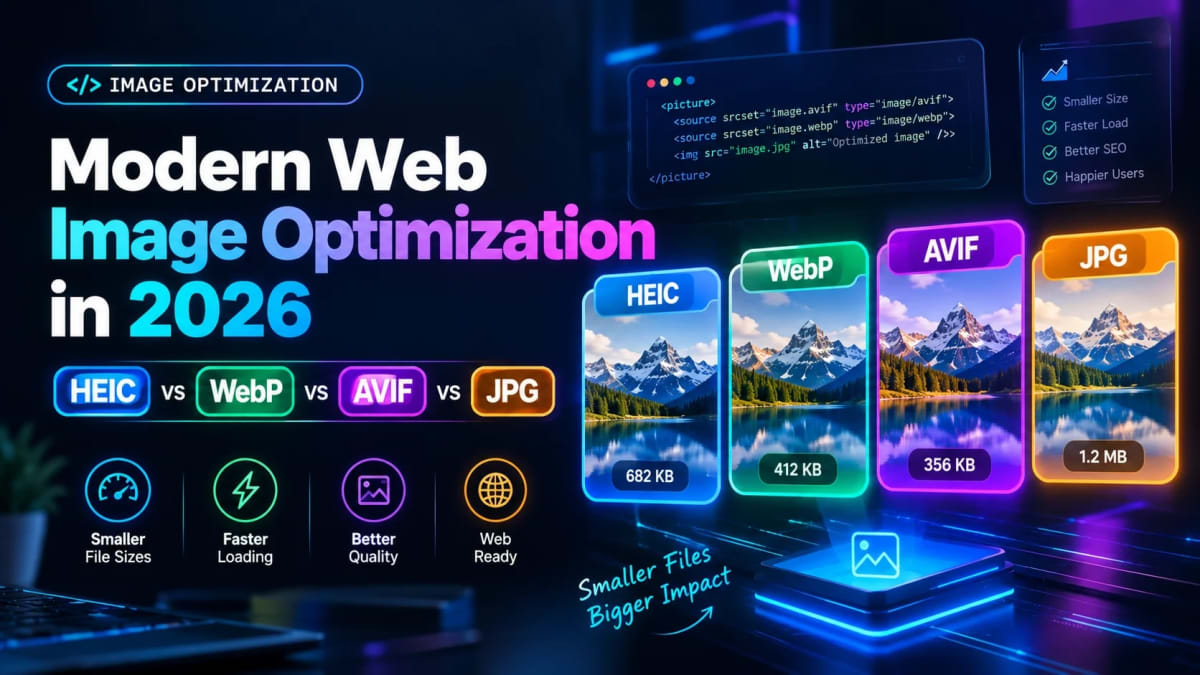
Modern Web Image Optimization in 2026: HEIC vs WebP vs AVIF vs JPG
Author
Muhammad Awais
Published
October 25, 2026
Reading Time
8 min read
Views
14.2k
Why Image Optimization Dictates Web Performance in 2026
Images account for more than 60% of total web page weight across the internet today. When a visitor lands on your website, bloated photographic media is almost always the primary culprit behind sluggish loading speeds.
Search engines like Google place strict emphasis on user experience metrics through Core Web Vitals. Specifically, Largest Contentful Paint (LCP) directly measures how fast your main hero image or visual element renders on screen.
Serving heavy, unoptimized image assets hurts your organic rankings and spikes bounce rates on mobile networks. Choosing the appropriate image codec is the single highest-ROI optimization you can make for frontend delivery.
The Contenders: Format Origins and Architecture
Modern web development is no longer limited to a simple choice between JPG and PNG. Today, four primary formats compete for dominance across mobile hardware and browser viewports:
- JPG / JPEG: The foundational standard of the digital web since 1992, offering universal software compatibility but dated DCT compression algorithms.
- Apple HEIC / HEIF: Built upon the H.265 (HEVC) video codec, engineered specifically by Apple to cut mobile storage footprints in half on iPhones and iPads.
- Google WebP: Introduced by Google based on the VP8 video codec, providing both lossy and lossless compression with universal support across 97%+ of web browsers.
- AVIF (AV1 Image File Format): The newest open-source standard developed by the Alliance for Open Media (AOMedia), utilizing the hyper-efficient AV1 video compression engine.
Head-to-Head Benchmark: Compression, Quality, and File Sizes
To evaluate how these codecs perform in practical environments, we benchmarked a 4K resolution (3840 x 2160) photograph with varied textures, fine details, and sharp gradients.
Here is how the four formats compare in real-world output size and visual quality:
| Format | Output File Size | Bandwidth Savings vs JPG | Browser Compatibility | Transparency Support |
|---|---|---|---|---|
| Raw JPG | 2,450 KB | Baseline (0%) | 100% Universal | No |
| Apple HEIC | 1,180 KB | -51.8% | Safari & Apple OS only | Yes |
| Google WebP | 1,320 KB | -46.1% | 97.5% Modern Browsers | Yes |
| AOMedia AVIF | 940 KB | -61.6% | 93.8% Modern Browsers | Yes |
While AVIF delivers the absolute smallest file size, WebP remains the most practical all-around choice for web production due to its lightning-fast encoding speeds and universal browser adoption.
Apple HEIC: Great for Mobile Storage, Incompatible on the Web
If you capture photos with an iPhone, your camera roll stores them as HEIC files by default. While HEIC is remarkably efficient at preserving camera sensor detail at tiny file sizes, it is not supported as an image tag in Chromium or Firefox browsers.
Uploading raw HEIC pictures directly to a website or web app will result in broken image icons for anyone browsing on Windows, Android, or Linux computers.
Before publishing mobile camera shots online, you should always convert them into universal formats. You can use our free browser-based HEIC to JPG Converter to batch convert iPhone photos client-side with 100% privacy and zero file size restrictions.
WebP: The Undisputed King of Universal Web Compatibility
For standard production websites, WebP represents the ideal balance between compression efficiency and CPU rendering overhead.
Unlike older JPEG files, WebP supports full alpha transparency (just like PNG) while shrinking file sizes by 30% to 50%. It also decodes rapidly on low-power mobile microprocessors, keeping battery drain and frame drops to a minimum.
Converting your existing image catalog into WebP is quick and painless. You can drop your PNG and JPG assets into our free Image to WebP Converter to optimize assets directly in your browser without transmitting sensitive graphic files to third-party servers.
AVIF: High-Efficiency Compression with Decoding Trade-Offs
AVIF is rapidly gaining traction among developers prioritizing peak performance. On complex photographic textures and scenic landscapes, AVIF routinely produces files 20% smaller than WebP and 60% smaller than legacy JPEGs.
However, AVIF has two notable trade-offs: encoding times and browser decoding CPU overhead. Compressing high-resolution images into AVIF takes significantly more processing power than WebP.
On older mobile devices with entry-level chipsets, decoding multiple heavy AVIF images on a single long-scrolling webpage can introduce slight scroll stuttering. Using WebP for dynamic feeds and AVIF for static hero images offers the best practical middle ground.
Legacy JPG and PNG: When Do They Still Make Sense?
Despite the emergence of next-generation codecs, standard JPG and PNG formats remain valuable in specific scenarios:
- Email Marketing: Legacy desktop email clients like Microsoft Outlook still struggle with WebP and AVIF. Using standard JPG ensures 100% render reliability across all inboxes.
- Print & Physical Media: Commercial printing presses and photo finishing labs require uncompressed CMYK JPEGs or TIFF files rather than web-centric formats.
- Pixel Art & Vector Icons: For crisp logos and UI icons, vector SVGs are far superior to raster bitmaps. Try using our SVG to JSX Converter to transform raw SVG markup into reusable React and Next.js components.
Core Web Vitals Impact: How Images Shape Your LCP Score
Google measures the visual load speed of your primary content element through the Largest Contentful Paint (LCP) metric. For most websites, the LCP element is a hero background photo or featured product graphic.
To achieve a "Good" LCP score, your primary image must load and render in under 2.5 seconds on a simulated mobile connection. A 2 MB JPEG photo will almost certainly push your LCP score into the "Poor" territory.
By compressing that same hero image into an optimized 120 KB WebP format with our Image Resizer & Compressor, you can slash load times by 80% and achieve green Core Web Vitals across the board.
Frequently Asked Questions
Should I convert all my website images from JPG to WebP?
Yes, in nearly all web scenarios. WebP is supported by over 97% of modern web browsers worldwide, provides built-in transparency, and reduces file sizes by roughly 30% to 50% without visible loss in quality.
Can I upload iPhone HEIC photos directly to my website?
No. Standard web browsers on Windows, Android, and Linux cannot render HEIC images natively. You must convert them to JPG, PNG, or WebP using a converter like HEIC to JPG Converter before uploading.
Is AVIF better than WebP for SEO rankings?
AVIF produces smaller file sizes than WebP, which can slightly improve your LCP load times. However, because WebP decodes faster on mobile devices, both formats score exceptionally well on Google PageSpeed Insights.
How do I handle format fallbacks in HTML?
You can use the HTML5 <picture> element with multiple <source> tags. Place your AVIF source first, followed by WebP, with a standard JPG fallback inside the final <img> tag.
Does compressing images hurt visual clarity on retina screens?
Modern lossy codecs like WebP and AVIF utilize intelligent psychoacoustic visual modeling. At quality settings between 80% and 85%, visual compression artifacts are completely undetectable on high-density Retina displays.
Tagged in
Continue Reading
All Articles


Level Up Your Workflow
Free tools mentioned in this article
Image to WebP Converter
Convert up to 25 JPG, PNG, TIFF and BMP images to WebP with live before/after preview, smart resizing, and real-time savings metrics 100% client-side, nothing uploaded.
Tailwind SVG Background Pattern Generator
The ultimate visual builder for Dot Grids, Plus Signs, and geometric SVG background patterns. Generate optimized Tailwind CSS classes for your SaaS landing pages.
JWT Decoder & Verifier
Decode, parse, and verify JWT (JSON Web Tokens) securely in your browser. Validate claims and debug authentication payloads instantly with zero server logs.
Tailwind Bento Grid Builder
Build responsive Tailwind CSS Bento Grid layouts visually drag, resize, and export clean React JSX or HTML code instantly. No coding needed.