
Stop Trusting APIs: Type-Safe JSON & Zod Validation in Next.js
Author
Muhammad Awais
Published
May 12, 2026
Reading Time
6 min read
Views
305
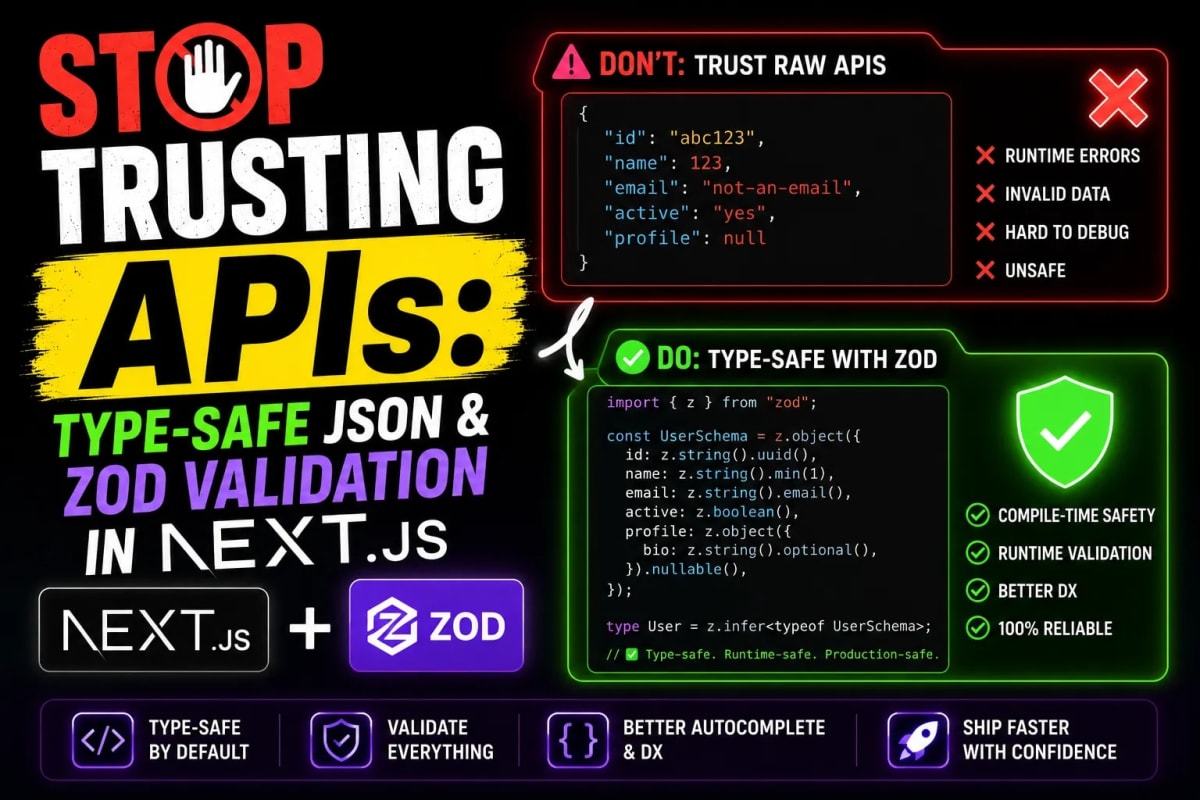
The silent killer of modern Next.js applications isn't bad CSS or slow databases; it's undocumented API changes. Discover how senior developers use strict TypeScript interfaces, Zod runtime validation, and automated client-side tools to build bulletproof, crash-resistant web applications.
The API Trust Crisis
Picture this: It's a Friday evening. You have just deployed a beautiful new e-commerce dashboard built with Next.js 14. It pulls live data from a third-party inventory API. Everything works perfectly on your local machine. You go to sleep, only to wake up to 50 automated alerts. Your production application is showing a blank white screen. What happened? The third-party API provider decided to change the product_price field from a Number to a String overnight without warning. Your frontend tried to perform a math operation on a string, threw a fatal JavaScript error, and took the entire application down. Welcome to the API Trust Crisis. In 2026, building robust software means adopting a zero-trust policy towards external data. Today, we will explore the enterprise architecture required to handle JSON safely.
The TypeScript "Any" Malpractice
When junior developers fetch data from an API, they often encounter TypeScript yelling at them about unknown object properties. The most common, and most dangerous, "quick fix" is casting the API response as any. Using any completely disables TypeScript's compiler checks. You are effectively writing vanilla JavaScript and praying that the data structure matches your imagination.
To write bulletproof code, every single API response must be mapped to a strict TypeScript Interface or Type Alias. If you expect a user object to have an id, a name, and an optional avatarUrl, your application must mathematically guarantee those fields exist before attempting to render them on the screen.
The 1-Second Solution to Massive JSON
Writing TypeScript interfaces manually for massive, 1,000-line JSON responses from APIs like Stripe or Twitter is mind-numbing and prone to human error. You will inevitably miss a nested array or mistype a boolean. Never do this manually. Simply copy the raw JSON response from Postman or your browser network tab, and paste it into our JSON to TS Converter. Our client-side algorithm instantly parses the nested data and generates the exact, production-ready TypeScript interfaces. Copy the code, paste it into your types.ts file, and you have instantly secured your compile-time environment.
Compile-Time vs. Runtime: The Zod Revolution
Here is the harsh reality that many developers learn the hard way: TypeScript does not exist at runtime. When your Next.js application is deployed to Vercel, it is compiled into plain JavaScript. If you wrote an interface declaring that price is a number, but the API sends a string at runtime, TypeScript cannot save you. The code will execute, and the app will crash.
To achieve true type safety, you need Runtime Validation. In 2026, the undisputed industry standard for this is Zod. Zod is a TypeScript-first schema declaration and validation library. Instead of just hoping the API response matches your interface, you run the raw JSON through a Zod schema. If the API sends invalid data, Zod catches it instantly and throws a controlled error, preventing the corrupted data from ever reaching your React components.
// The Senior Developer's Fetch Wrapper
import { z } from "zod";

// 1. Define the Zod Schema
const UserSchema = z.object({
  id: z.number(),
  name: z.string(),
  email: z.string().email(),
  isActive: z.boolean().default(true),
});

// 2. Extract the TypeScript type automatically
type User = z.infer<typeof UserSchema>;

export async function fetchUser(userId: string): Promise<User | null> {
  try {
    const res = await fetch(`https://api.example.com/users/${userId}`);
    if (!res.ok) throw new Error("API responded with an error");

    const rawJson = await res.json();

    // 3. SAFE PARSE: This prevents the app from crashing if the data is bad
    const parsedData = UserSchema.safeParse(rawJson);

    if (!parsedData.success) {
      console.error("API Data Validation Failed:", parsedData.error);
      return null; // Gracefully handle the bad data
    }

    return parsedData.data; // 100% Type-Safe Data
  } catch (error) {
    return null;
  }
}
Designing for Failure: UI/UX Considerations
Now that your data fetching is mathematically secure, what happens to the user interface when an API fails or Zod rejects corrupted data? Showing an infinite loading spinner is unacceptable. You must design fallback states, error boundaries, and empty states.
If a specific API component fails to load, gracefully degrade the UI. Show a beautiful "Data unavailable" badge instead of a broken layout. If you are building complex data dashboards to visualize these API responses, make sure you are using a resilient layout system. We highly recommend using our Tailwind Bento Grid Builder to engineer dashboards where individual grid boxes can fail independently without breaking the entire screen architecture. Combine this with our Shadcn Theme Generator to ensure your error alerts (destructive variants) perfectly match your brand's flat, brutalist aesthetic.
Conclusion: Defensive Engineering
Software engineering is largely an exercise in managing chaos. Third-party APIs are chaotic by nature. They undergo unannounced maintenance, change schema structures, and sometimes return complete garbage. By stopping the abuse of the any keyword, instantly generating precise interfaces using browser tools, and enforcing strict runtime boundaries with Zod, you insulate your Next.js application from external chaos. Stop trusting your APIs. Start verifying your data. Build defensively, and you will sleep much better on Friday nights.
Frequently Asked Questions
What is the difference between TypeScript Interfaces and Zod Schemas?
TypeScript interfaces only exist during development (compile-time). They help your code editor provide autocomplete and catch errors before you deploy. Zod schemas exist in the compiled JavaScript (runtime). They actively inspect the actual data flowing into your application from APIs or user inputs while the app is running live.
Does running Zod validation slow down my Next.js application?
The performance impact of Zod validation is microscopically small (usually fractions of a millisecond). The security and stability benefits of preventing a production crash vastly outweigh the negligible CPU cost of validating the JSON payload.
Can I use Axios instead of the native Fetch API in Next.js?
While you can use Axios, it is generally discouraged in the Next.js App Router. The native Fetch API in Next.js has been heavily extended to support advanced Server Component caching, revalidation, and deduping out of the box. Sticking to native Fetch provides the best performance and integration with Next.js features.
How do I handle nested JSON arrays from complex APIs?
Nested arrays are where manual typing becomes a nightmare. Always copy the raw JSON response and pass it through the WebToolsHub JSON to TS tool. For Zod, you can define the schema for a single item, and then use z.array(ItemSchema) to validate the entire nested array automatically.
Tagged in
Continue Reading
All Articles


Level Up Your Workflow
Free tools mentioned in this article
Unix Timestamp Converter
Convert Unix timestamps to readable dates and back instantly. View the current epoch time, convert any timestamp, and see results in any timezone.
SQL Query Validator
Validate and format SQL queries instantly MySQL, PostgreSQL, SQLite & SQL Server. Free online SQL query checker with detailed error messages. No signup needed.
Tailwind Class Sorter
Sort Tailwind CSS classes instantly using Prettier's official order. Paste plain classes, HTML, or JSX get clean, sorted output in one click. Free, no signup.
Image Resizer & Compressor
Compress image to 20KB, 50KB, or 100KB online free instantly reduce image size in KB for government forms, exams (UPSC, SSC, FPSC, NTS), passport photos, and more. Works entirely in your browser.