
Stop Paying for Apps: The Ultimate Free Tool Stack for Creators, Students, and Small Businesses
Author
Muhammad Awais
Published
May 11, 2026
Reading Time
6 min read
Views
150
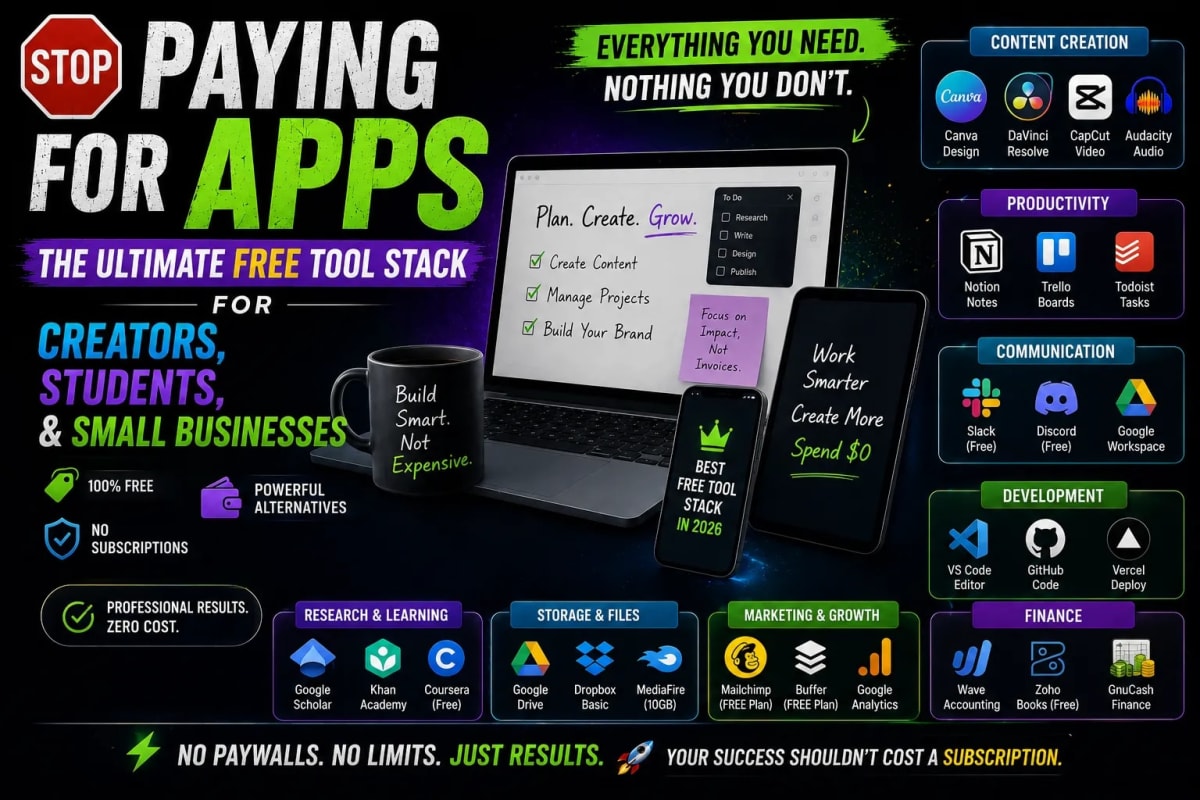
Let's be completely honest: the internet has become way too expensive. Whether you are a college student trying to submit an assignment, a local cafe owner trying to digitize your menu, or an upcoming content creator trying to make your Instagram profile stand out, it feels like every single app wants $9.99 a month from you. We are drowning in a sea of premium subscriptions, hidden fees, and "freemium" tools that plaster giant watermarks over your hard work. In 2026, you shouldn't have to pay a monthly fee just to perform basic digital tasks. Today, we are taking a stand. We have compiled the ultimate "Zero-Budget Digital Toolkit"—a suite of 100% free, highly professional browser tools that will instantly upgrade your digital life, your business, and your social media presence without costing you a single penny.
The Social Media Glow-Up: Standing Out in the Crowd
With billions of active users on platforms like Instagram, TikTok, and X (formerly Twitter), having a standard, boring text bio is a massive missed opportunity. Your bio is your digital first impression. Influencers and top-tier brands use custom typography to capture attention the millisecond someone lands on their page. However, downloading sketchy third-party keyboard apps to get cool fonts is a massive privacy risk.
Instead of risking your personal data, smart creators are using browser-based solutions. By utilizing a free Fancy Font Generator, you can instantly transform standard text into beautiful cursive, bold, gothic, or aesthetic styles. You simply type your phrase, copy the perfectly formatted Unicode text, and paste it directly into your social media bio, YouTube video titles, or WhatsApp statuses. It takes three seconds, requires no downloads, and immediately elevates your personal brand's aesthetic.
The Small Business Hack: Bridging the Physical and Digital
If you run a local business—a restaurant, a retail store, a salon, or even a freelance consulting gig you need a way to seamlessly connect your physical customers to your digital presence. The undisputed king of this connection is the QR Code. Unfortunately, most business owners fall into a common trap: they use a "free" QR code website, print the codes on 1,000 expensive flyers, and two weeks later, the code stops working because the website demands a $15 monthly "activation fee." This is a known scam in the tech world.
The Enterprise Solution for Zero Dollars
You can bypass these scams entirely by using an Advanced QR Code Generator that produces "Static" codes. Static codes never expire because the data is mathematically baked right into the image. Here is how small businesses are hacking their growth for free:
The WiFi Auto-Connect: Stop making cafe customers type complex passwords. Generate a WiFi QR code; they scan it, and their phone connects instantly.
The Digital Business Card (VCard): Generate a QR code with your contact details. When scanned at a networking event, it instantly saves your name, number, and email to the client's phonebook.
WhatsApp Direct Chat: Create a code that, when scanned, opens WhatsApp with a pre-typed message to your business number (e.g., "Hi, I'd like to book an appointment!").
The Speed Advantage: Fixing the "File Too Large" Error
We have all experienced this frustration: you try to upload a profile picture, submit a university portal document, or add a photo to your WordPress blog, and you are hit with a flashing red error message: "File Too Large. Maximum size is 2MB." Mobile phones today take stunning, ultra-high-resolution photos, but those files are massive (often 5MB to 10MB each).
You don't need an expensive Adobe Photoshop subscription to fix this. You just need the right next-generation file format. By dropping your heavy PNG or JPG images into an Image to WebP Optimizer, you can shrink the file size by up to 80% without losing any visible quality. WebP is the modern image format created by Google specifically to make the internet faster.
For bloggers and website owners, this step is absolutely mandatory. Google actively penalizes websites that load slowly due to massive images. By compressing your images before you upload them, your website will load instantly, keeping your visitors happy and boosting your organic SEO ranking automatically.
The Ultimate Privacy Promise: Why Browser Tools Win
Beyond the fact that these tools are completely free, there is a much bigger reason why millions of people are shifting away from downloadable apps: Privacy and Security. When you download a random "free" app to your phone to generate a QR code or compress an image, that app often demands access to your entire photo gallery, your contacts, and your location data. Why does a font app need your GPS location? It doesn't. They are harvesting your data to sell to advertisers.
The beauty of modern browser-based utilities is that they utilize "Client-Side Processing." When you use our tools at WebToolsHub, your browser does all the heavy lifting locally on your own device. Your images are never uploaded to a creepy third-party server. Your WiFi passwords are never saved to a database. You get enterprise-grade functionality with absolute, mathematically guaranteed privacy. You simply open the web page, do your work, and close the tab safely.
Frequently Asked Questions (FAQs)
Are these tools really free forever? What is the catch?
There is no catch and no hidden paywall. We believe basic digital utilities should be accessible to everyone globally. The platform is supported by unobtrusive advertisements, which allows us to pay for the hosting while keeping the tools 100% free for students, creators, and businesses forever.
Do I need to create an account to use them?
Absolutely not. We hate forced sign-ups just as much as you do. You do not need to provide your email address, create a password, or link your Google account. Just open the tool, get your result, and go on with your day.
Can I use these QR codes and fonts for commercial use?
Yes! If you are a small business owner, you can print the generated QR codes on billboards, restaurant menus, or business cards. You hold full rights to the codes and compressed images you generate. No attribution or licensing fees are required.
Conclusion: Work Smarter, Not Harder
In the modern digital economy, success isn't about how much money you spend on software; it is about how smartly you utilize the resources available to you. By replacing expensive, bloated subscriptions with fast, secure, and free browser utilities, you reclaim your budget and your privacy. Whether you are aiming to grow your Instagram following, streamline your small business operations, or just make your daily digital tasks a little bit easier, bookmark your favorite tools and start working smarter today. The internet belongs to everyone let's keep it that way.
Tagged in
Continue Reading
All Articles
Level Up Your Workflow
Free tools mentioned in this article
Shadcn Theme Generator
Visually generate and preview Shadcn UI themes. Customize HEX to HSL colors, enforce flat design, and instantly copy globals.css and tailwind.config.ts code.
SVG Path Builder & Visualizer
An interactive, client-side SVG path builder and visualizer tool. Generate optimized cubic and quadratic Bezier vector code instantly on a grid canvas.
Tailwind Class Sorter
Sort Tailwind CSS classes instantly using Prettier's official order. Paste plain classes, HTML, or JSX get clean, sorted output in one click. Free, no signup.
PX to REM Converter
Convert px to rem and rem to px instantly - bidirectional, custom base font size, bulk converter, and CSS snippet output. Free, no signup.